In this article9 sections · 3 min
- 1. Ask every customer, not only the happy ones
- 2. Use your Business Profile’s own review link
- 3. Ask at the moment the job is done
- 4. Put the link where customers already are
- 5. Say it in person, briefly
- 6. Never offer anything in return
- 7. Never review yourself, or let staff do it
- 8. Reply to the reviews you get
- 9. Keep it going every month
1. Ask every customer, not only the happy ones
Google’s policy does not allow selectively soliciting positive reviews, sometimes called review gating. Asking everyone keeps you inside the rules and gives a fairer picture of your business.
2. Use your Business Profile’s own review link
Google lets you share a link that opens the review box directly. One tap instead of a search removes the biggest reason people give up. Google’s help page “Tips to get more reviews” shows where to find it.
3. Ask at the moment the job is done
The best time is when the customer has just seen the result: the boiler is working, the keys are handed over, the treatment is finished. A request a week later competes with everything else in their inbox.
4. Put the link where customers already are
On the receipt or invoice, in the follow-up email or text you already send, on a card at the counter, in your email signature. Use the channels you have; do not build new ones just for reviews.
5. Say it in person, briefly
A short sentence from the person who did the work, such as “If you were happy with today, a Google review really helps us”, is often more effective than any automated message. No pressure, no script that sounds like one.
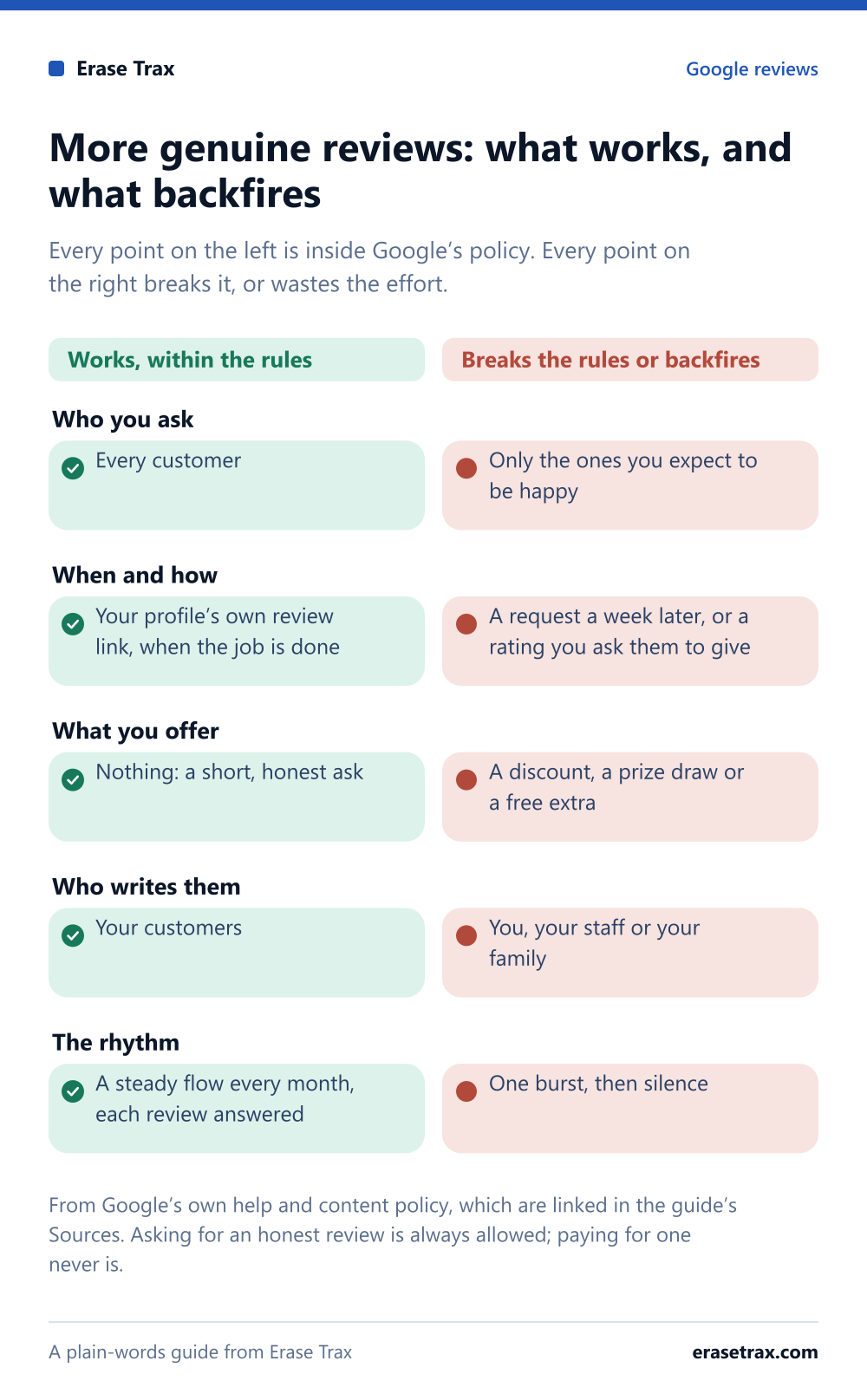
- Who you ask
- Works, within the rulesEvery customer
- Breaks the rules or backfiresOnly the ones you expect to be happy
- When and how
- Works, within the rulesYour profile’s own review link, when the job is done
- Breaks the rules or backfiresA request a week later, or a rating you ask them to give
- What you offer
- Works, within the rulesNothing: a short, honest ask
- Breaks the rules or backfiresA discount, a prize draw or a free extra
- Who writes them
- Works, within the rulesYour customers
- Breaks the rules or backfiresYou, your staff or your family
- The rhythm
- Works, within the rulesA steady flow every month, each review answered
- Breaks the rules or backfiresOne burst, then silence
From Google’s own help and content policy, which are linked in the guide’s Sources. Asking for an honest review is always allowed; paying for one never is.
The nine ways at a glance, with the moves that undo them.Save the graphic
6. Never offer anything in return
Google’s policy prohibits incentivized reviews, and regulators such as the FTC, the UK’s CMA and the ACCC have rules on them too. That includes discounts, entries into a prize draw and free extras. Our post on incentives for reviews covers the detail.
7. Never review yourself, or let staff do it
Reviews from owners, staff or family are a conflict of interest under Google’s policy and fake engagement under the FTC rule. If they are found and removed, the profile can end up worse off than before.
8. Reply to the reviews you get
Google’s Business Profile help encourages owners to reply. Customers who see replies know someone is reading, and that makes a review feel worth writing. See should you reply to every Google review?.
9. Keep it going every month
A burst of reviews followed by silence helps less than a steady flow, because readers look at how recent reviews are. Build the ask into your routine so it happens without anyone having to remember.
Sources
- Tips to get more reviewsGoogle Business Profile Help
- Prohibited and restricted content (Maps user-generated content policy)Google
- Federal Trade Commission announces final rule banning fake reviews and testimonialsUS Federal Trade Commission
The policies and laws above are the platforms’ and regulators’ own pages. This article explains them in plain words; it is not legal advice.
About this guide
Written by the Erase Trax review team: specialists in review policy, working with businesses in the United States, the United Kingdom, Canada, Australia and the United Arab Emirates. Each guide is written against the platforms’ own published policies. Last reviewed .
- We never need your login
- We never buy, write or incentivize reviews
- The platform makes the final decision